

Common Problems and Troubleshooting Tips for LCD Displays
In industrial control, medical equipment, testing instruments, household appliances and consumer electronics, LCD display remains one of the most common human-machine interfaces. Whether it is a graphic matrix screen or a monochrome LCD display, any issues such as no display, missing lines, flickering or abnormal contrast will affect the overall experience and reliability of the entire device.
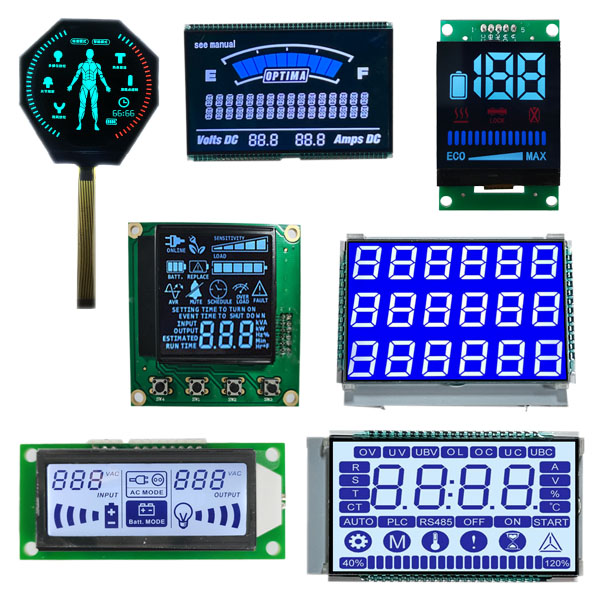
1. No display, black screen or white screen.
A black screen is usually related to the power supply, backlight, and initialization; a white screen usually indicates that the backlight is on but the LCD has not been deflected or has not received valid image data. For an LCM module, first check VDD, VDDIO, VSS, reset pin and backlight power supply. If the backlight is not on, focus on checking the boost circuit, current-limiting resistor, LED string and connector.
2. Missing lines, characters, and broken lines
Monochrome LCD displays are prone to missing lines. The possible causes include abnormal COM or SEG output, poor zebra strip connection, aging conductive adhesive, FPC short circuit, and damaged driver IC. For multi-channel driver screens, the bias resistor and duty cycle settings also need to be checked. If the missing line position is fixed, it is usually a problem with hardware connection or driver channel; if the position drifts, it may be due to timing, interference, or power ripple.
3. Insufficient or excessive contrast
Abnormal contrast does not necessarily indicate a screen failure. Factors such as VLCD, V0, bias voltage, and temperature compensation can all affect the display effect. It is common for the contrast of the LCM module to become less intense at low temperatures, and to become more intense at high temperatures. If it occurs in batches, check the initialization code of the driver IC, bias resistors, and temperature compensation circuits. If it occurs individually, check the welding and consistency of the liquid crystal panel.
4. Fluctuation, jitter, scrolling
Fluctuation usually results from unstable frame rate, excessive power supply ripple, ground interference, conflict between PWM backlight frequency and refresh rate. If the FPC wiring of the LCM module is too long and not shielded, noise may also be introduced. First, use an oscilloscope to observe VDD and key signals, and then check the initialization registers. For monochrome LCD display, if there is overall screen jitter, focus on checking the COM waveform and backlight driver.
5. Screen artifacts, garbled characters, abnormal colors
Color LCD displays often have screen artifacts due to issues with data lines, clock lines, synchronization signals, and timing parameters. Check the FPC connections, connector oxidation, and soldering shorts. If monochrome LCD displays have garbled characters, check the data bus, RS/CS/WR control lines, and ensure proper initialization.
6. Uneven brightness, vignetting, and light leakage
Backlight issues are common in side-entry LCM modules. Assembly deviations of the light guide plate, diffusion film, and reflective film, LED brightness attenuation, or inconsistent constant current drive can all cause uneven brightness. Light leakage is mostly related to structural bonding, shell deformation, and scratch on the polarizer. For monochrome LCD displays, the backlight is usually simpler, but the gap between the light guide plate and the liquid crystal glass still affects uniformity.
7. Defects, Highlights, Dark Spots, Line Defects
Bad points are manufacturing defects in the LCD panel and usually cannot be repaired by software. Highlights refer to pixels that remain constantly lit, while dark spots refer to pixels that do not light up. Vertical or horizontal lines are often related to the driver IC, COG bonding, and FPC channels. If the line defect changes after pressing, it indicates poor connection. If there is no change after pressing, it may be that the driver IC or the glass wiring is damaged.
8. Shadows, ghost images, image residue
Shadow is the phenomenon where the liquid crystal molecules in an LCD display fail to fully recover after displaying a static image for a long time. Reducing the brightness of the static image, performing regular color inversion, and shortening the refresh cycle can alleviate this issue. If the driving voltage of the LCM module is asymmetric, it will also accelerate the appearance of shadows. Monochrome LCD displays are more prone to shadows when displaying fixed patterns. It is recommended to use alternate inversion or timed screen clearing.