

How Color Displays Are Giving Mini Robots a Voice
In the world of technology, size has always been a balancing act. We want our devices to be smaller, lighter, and more portable, but we also want them to be powerful, useful, and easy to interact with. For a long time, the smaller a machine got, the harder it was for humans to communicate with it. A tiny robot with only a few blinking LED felt cold, mysterious, and difficult to understand. But that era is ending. At present, a quiet revolution is taking place inside the world’s smallest machines, and it is happening right on their screens.
The new generation of miniature intelligent robots is being equipped with high-end color TFT (Thin-Film Transistor) displays. These are not the dull, gray LCD of an old calculator. These are bright, rich, full-color screens that are changing the way we see and speak to our robotic helpers. More importantly, they are turning the robot from a silent tool into a friendly companion. These colorful little screens are so important, they fit onto tiny bodies, and they are becoming the main window for human-robot communication.
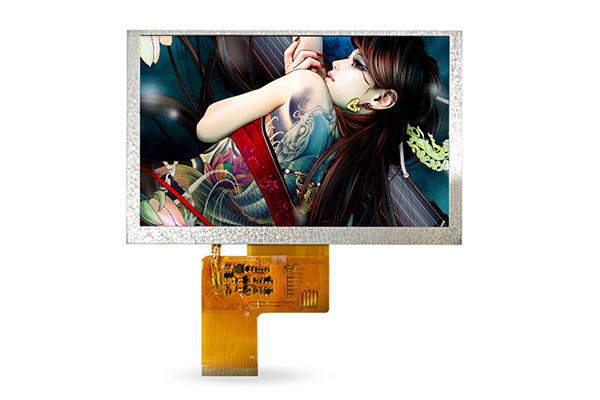
The Eyes of the Machine
If you look at any living creature, the eyes are usually the first thing you notice. They tell you if the animal is friendly, scared, or paying attention. For a robot, the display screen works in the same way. It is the "face" and the "eyes" of the machine. When you look at a small robot with a blank, dark surface, it feels lifeless. But when that surface lights up with a clear, colorful image, the robot suddenly feels alive.
A high-quality TFT screen can show beautiful animations, friendly smiley faces, or simple text messages. This is the main way the robot tells you what it is thinking. Is it listening to your voice? It might show a small ear icon with sound waves moving across the screen. Is it processing a command? You might see a spinning wheel of colors. Did it make a mistake? A sad face with big, watery eyes will appear, and you will immediately understand without reading a manual. This visual clarity is key. The human brain processes images much faster than text, so a picture or an animation on a small screen creates an instant connection. It makes the interaction feel natural, almost like talking to a pet or a child.
Why TFT Screens Are the Perfect Choice
Not all screens are made the same, and for small robots, the display must meet several strict requirements. First, it has to be bright enough to be seen in different kinds of light. A TFT screen is excellent at producing bright, vivid colors. Whether the robot is working in a bright office under fluorescent lights or in a cozy, dimly lit living room, the screen stays clear and easy to read. The contrast is sharp, meaning that the blacks are deep and the whites are pure, making every icon and animation pop.
Secondly, the speed of the screen matters. Many small robots are used in dynamic, real-time environments. They move quickly, react to sounds, and change tasks in a second. A good TFT display has a fast refresh rate, which means the animation is smooth. There is no blur or lag when a character waves its hand or when a message scrolls across the screen. This smoothness makes the robot look intelligent and responsive, not slow or broken.
Thirdly, and most importantly, the visual effect is simply stunning. When you look at a high-end color TFT, the colors are rich and full. Red looks like real red, blue looks deep like the ocean, and yellow looks warm like sunshine. This makes the robot’s “expressions” much more emotional. A cold, gray icon cannot make you smile, but a cute, colorful kitten animation on the robot’s face definitely can.
One Shape Does Not Fit All
One of the most interesting things about these new displays is their variety of shapes. In the past, almost all small screens were rectangular. But robots come in all sizes and designs. Some are tiny cubes that fit in the palm of your hand. Some are long and cylindrical like a flashlight. Others are round and spherical, rolling around on the floor. If a manufacturer forced a rectangular screen onto a round robot, it would look ugly and out of place.
Luckily, modern display technology allows for many different shapes. For a very small robot, a perfectly square screen fits neatly on its chest or head. It looks balanced and modern. For a taller, slimmer robot, a rectangular screen works best because it uses the available space wisely and can show more information, like a longer message or a vertical timeline. For robots that are spherical or have a round face, a circular screen is the most natural choice. It looks like a classic watch face or a cute cartoon face, which makes the robot feel friendlier and more approachable.
Manufacturers can also customize the size of the screen exactly to the robot’s body. The display should not be too big, or it will dominate the robot’s design and make it fragile. It should not be too small, or nobody will be able to see the images clearly. The goal is harmony: the screen should look like a natural part of the robot, not an add-on. This careful matching of shape and size makes the robot look professional, high-quality, and beautiful.
Touch or No Touch? The Choice is Flexible
Another great advantage of these TFT screens is their flexibility in function. Some models are designed to be purely visual. They are only there to show animations, information, or status lights. This is often enough for many tasks. For example, a cleaning robot might only need to show a happy face when its bin is empty and a worried face when it is full. A delivery robot might just show an arrow pointing left or right. In these cases, a touch function is not necessary, which keeps the cost lower and the battery life longer.
However, for more advanced robots, the screens are fully touch-sensitive. This turns the robot’s “face” into an interactive control panel. Instead of using a phone app or pressing a physical button, you can simply tap the screen on the robot itself. You can swipe to change settings, tap an icon to start a task, or even draw a path for the robot to follow. This direct touch control is very intuitive. It feels like you are communicating directly with the machine, without any middleman. For children and older adults, this is especially helpful because it removes the complexity of using separate remote controls.
The Future is Bright and Colorful
The applications for these colorful mini robots are growing every day. In schools, small robots with bright screens are used to teach coding to children. The screen shows the code blocks in color, making learning fun and visual. In hospitals, tiny robots on wheels use their screens to show the faces of doctors, helping patients feel less alone. In our homes, they act as smart assistants, showing the weather, the news, or simply a calming animation to help us relax.
As artificial intelligence improves, the need for better visual communication will only increase. A robot that can talk is useful, but a robot that can show you an image, a map, or an emotion on a clear, colorful screen is unforgettable. It builds trust. When you see a bright, clear display, you feel like the robot is honest and transparent about what it is doing. You are no longer guessing what it wants. You are reading its face.
In conclusion, the high-end color TFT display is more than just a luxury feature for miniature intelligent robots. It is the primary interface that bridges the gap between complex technology and human understanding. It serves as the robot's eyes, its voice, and its personality. Whether it is square, rectangular, or round, whether it responds to touch or simply shines with beautiful animations, this little screen is the most powerful tool we have for making machines feel like friends. As robots continue to shrink in size, we can expect these screens to get even sharper, brighter, and more expressive, showing us a future where communication between humans and machines is as simple and joyful as looking into a pair of friendly eyes.